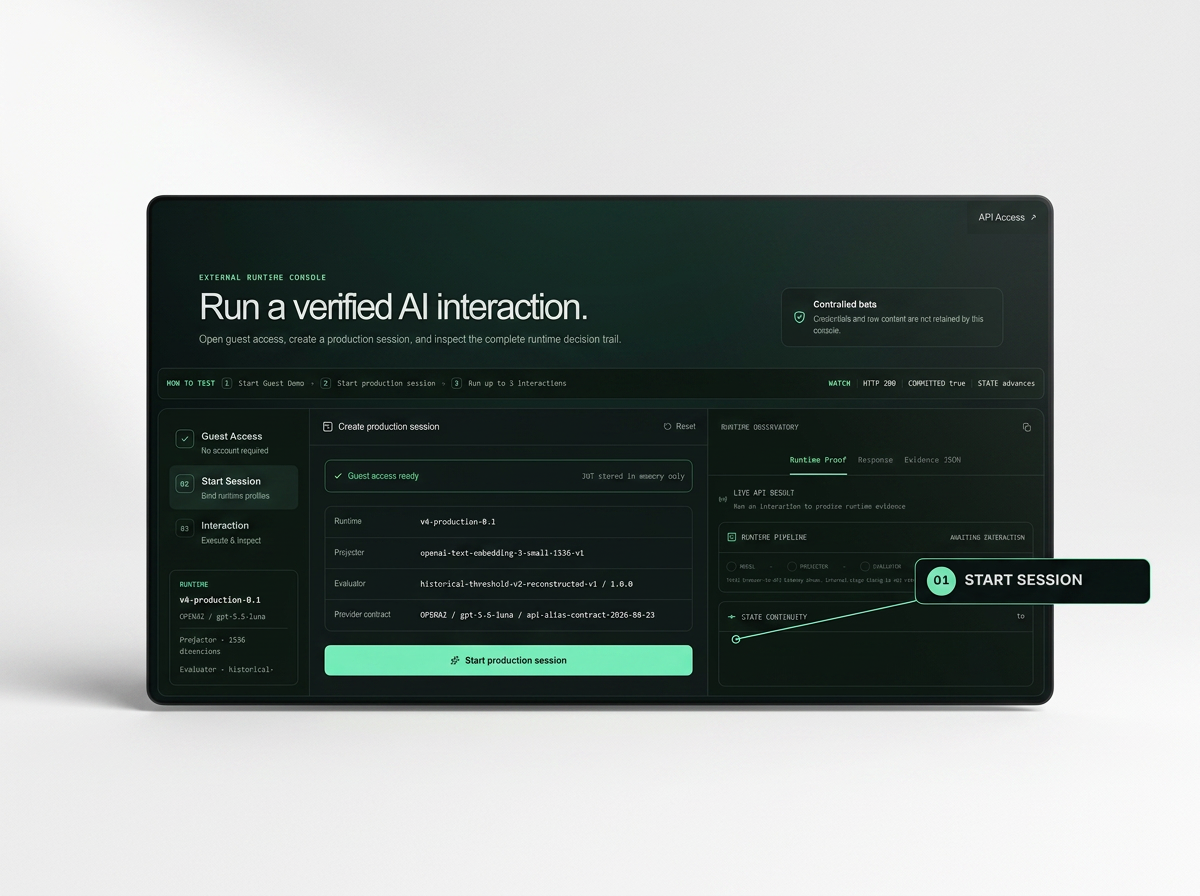
HOW TO EXPERIENCE
Run a live interaction and inspect how its state is evaluated, authorized, and committed in real time.
01 · START THE RUNTIME
Start a Production Session
Open temporary guest access and create a production session. ResonanceOS binds the model, projector, and evaluator that will govern the interaction sequence.
No account is required, and the temporary session credential remains in browser memory only.
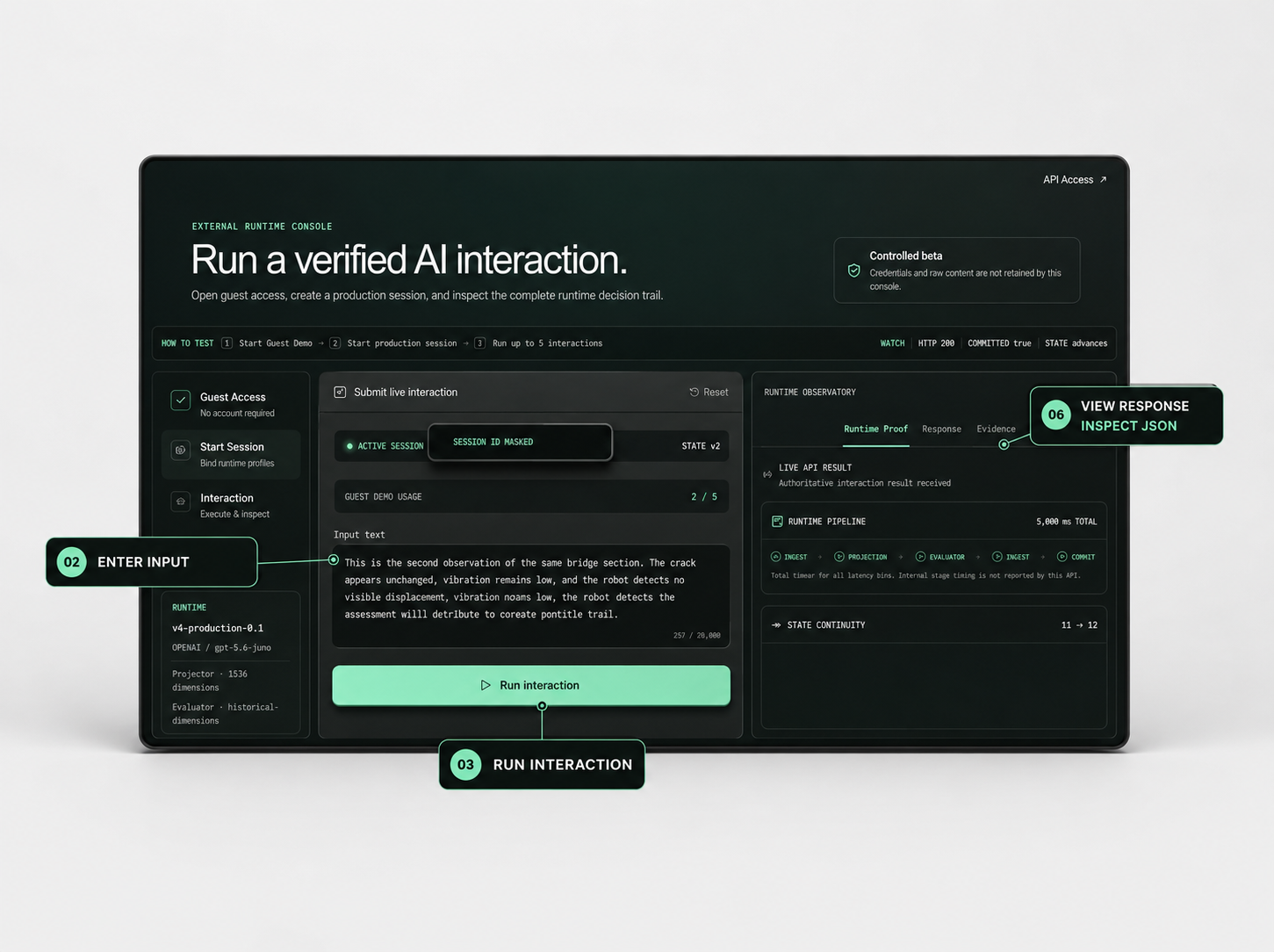
02–03 · RUN AN INTERACTION
Enter Input
Submit a new observation within the active session. Each interaction is evaluated in relation to the bounded state carried forward from the preceding turn.
Run Interaction
Execute the request and watch it pass through the runtime pipeline—from model response and projection to evaluation, Sheriff review, and canonical commit.
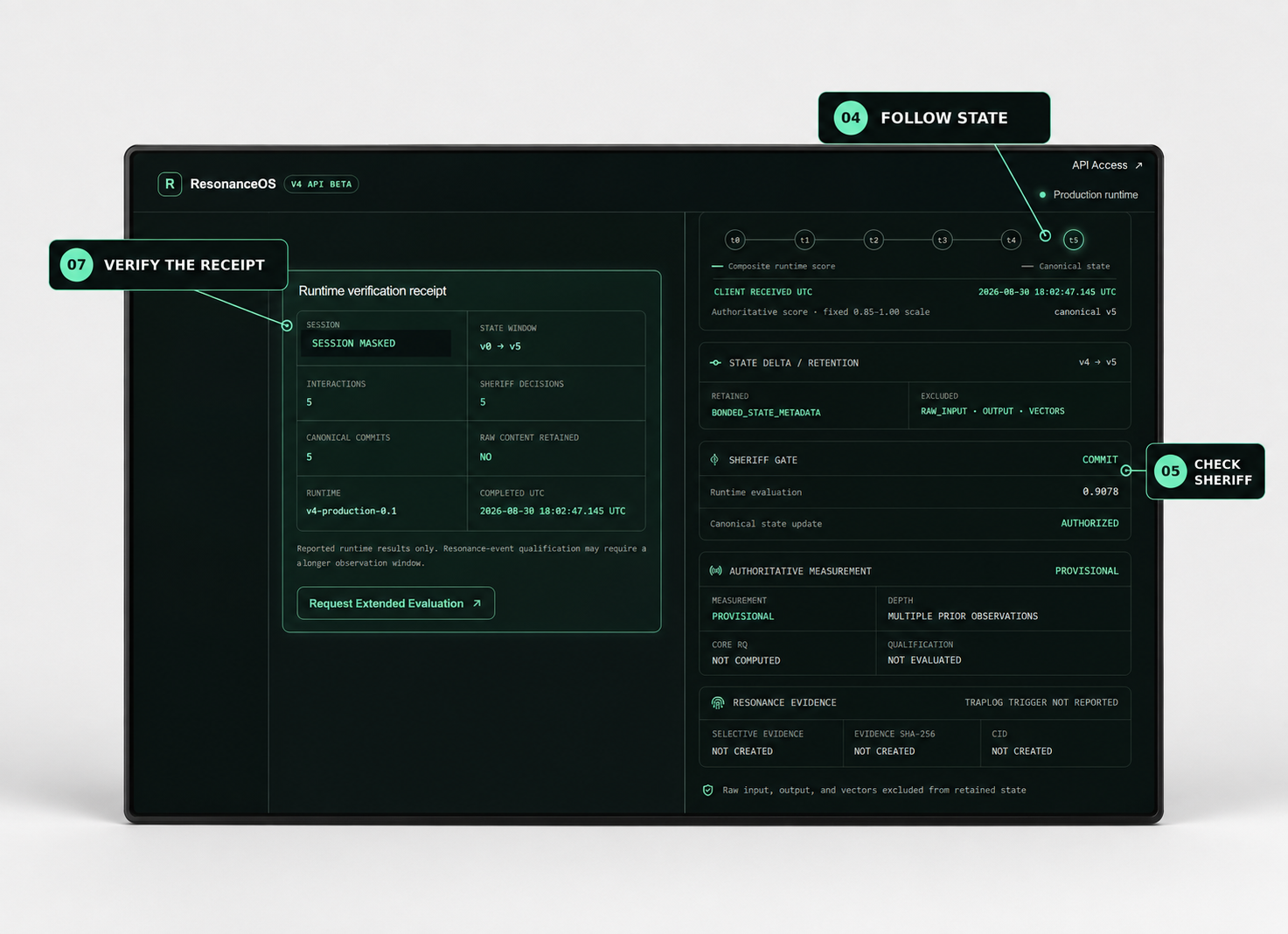
04–07 · INSPECT THE DECISION
Follow State
Observe the canonical state advance from one version to the next across the interaction trajectory.
Check Sheriff
Confirm whether the proposed state transition was authorized and committed. A COMMIT decision validates the runtime transition; it does not independently declare the physical situation safe.
View Response · Inspect JSON
Review the model response separately from the authoritative runtime result, including state version, evaluation score, trigger state, lineage, and retention attestation.
Verify the Receipt
At the fifth interaction, inspect the runtime verification receipt summarizing the session window, Sheriff decisions, canonical commits, and raw-content retention status.